App Security Isn’t That Complicated

When you hear the term app security, up pops a certain type of anxiety. Perhaps a news headline that reads: data breach. Perhaps it’s that moment just before you click “Allow” on a permission prompt without reading it. Or perhaps it’s the sense that you ought to be aware of how to safeguard your phone more than you actually are.
The good news is that you don’t have to be a computer science major, have an IT background, or have a costly security suite to grasp the fundamentals. At its basic level, app security is a collection of simple habits and ideas that anybody can learn.
In this post, we will go over how security is actually implemented in apps, debunk a few myths, and offer some low-cost tips for ensuring your apps and devices are more secure without costing you a fortune.
What App Security Actually Means
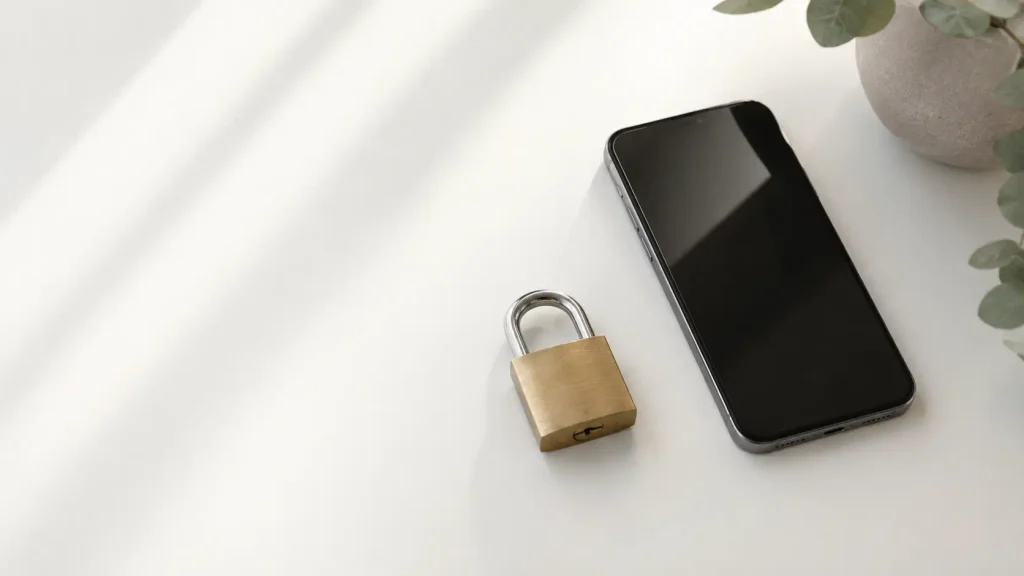
App security is the methods and safeguards used to ensure your apps, and the data contained within them, remain protected from unauthorized access, theft, or abuse. This includes where your passwords are stored, and how your location data, contacts, and payment details are handled.
Consider an app to be a home. App security is the series of doors locked, curtains drawn, and a system in place to determine who gets to walk through the door. Some of that protection is provided by the app developers, and some of it relies upon how you configure your apps as an end user, including what permissions you allow or block and what passwords you select.
The purpose is not to eradicate all risk. That’s not a possibility for anybody. The idea is to minimize risk by practicing good habits.
The Three Big Ideas Behind App Security
If you’re only going to get three things out of this post, make it these three: permissions, authentication, and updates.
Permissions are the type of access that an app is asking for, such as your camera, contacts, location, or microphone. Each time an app requests permission, it’s reaching out to open a door into a portion of your phone. A few of these are sensible, like a camera app requiring camera access. There are others you need to ask questions about, such as a flashlight app requesting access to your contacts.
Authentication is the process by which an app verifies that you are who you say you are before allowing you to log on. This encompasses things like passwords, PINs, fingerprint scans, and facial recognition. Strong authentication is one of the strongest measures to protect an account, since it’s usually the only thing standing between a stranger and your information.
Updates are patches and improvements that are released over time, typically made specifically for security weaknesses that have been identified. An outdated application is comparable to a home with a lock set that a locksmith already knows how to pick. The fix exists, you just need to install it.
After you learn these three pieces, you’ll get a much better sense of the vast majority of security choices you make on a day-to-day basis.
Why App Security Feels Harder Than It Is
Security issues can get overwhelmed with technical jargon such as encryption protocols, two-factor authentication frameworks, and zero-day vulnerabilities. This kind of language can make the whole subject seem like it’s targeted only at IT pros.
In practice, the practical, effective protection you can rely on is minimal and comes down to a few simple habits carried out regularly. It’s not essential to have any knowledge of encryption algorithms to gain from using a strong password. You don’t need to understand what a “zero-day vulnerability” is to know that it’s better to keep your applications updated.
You don’t have to know the mechanics of a car to understand that you’re safer wearing a seatbelt and checking your mirrors while driving. The inner workings are complicated, but the outer, protective behavior is easy to implement.
Knowing this is the first big step toward feeling confident about app security, rather than being intimidated by the subject.
Common App Security Mistakes People Make
There are certain practices that consistently show up as the top weak links in the chain of app security. One of the biggest is reusing the same password across many different applications. If an app suffers a data breach, all other accounts using that same login information are also at risk.
Another common error is disregarding app updates. When you’re busy, it’s easy to simply ignore your software’s update alerts, but those updates often contain patches for issues that have already been identified elsewhere, and in some instances, already exploited.
Another common behavior worth re-evaluating is granting permissions without thinking twice. Many people hit “allow” without pausing, just to use the app at all, without considering whether that permission is actually useful for that app or whether the app really needs it.
The list is rounded out by downloading apps from unofficial sources. Official app stores such as Google Play and the Apple App Store have a vetting system to identify obviously malicious apps. Sideloading apps bypasses that layer of protection entirely.
None of these mistakes indicate a lack of care or intelligence. They’re just habits that developed before most people had a straightforward explanation of why they matter.

Where App Security Shows Up in Everyday Life
If you begin to pay closer attention, app security touches much more of your everyday life than you might realize. This is why many banking apps now include biometric logins or additional verification steps for certain transactions, such as transfers, where strong authentication and encryption come into play.
Payment and shipping information is stored on shopping apps, which makes them a favorite target for anyone looking to gather your personal data. Health and fitness apps also store sensitive data, such as medical information, sleep habits, or location history tied to a daily routine.
Any app, even one that doesn’t seem to involve important or sensitive data, can be risky if it asks for unnecessary permissions or becomes compromised. In many cases, a single weak access point is enough to gain access to more sensitive data elsewhere.
Knowing these everyday touchpoints makes app security feel more like a real part of everyday digital life, rather than an abstract IT issue, similar to locking the front door or setting a home alarm.
Budget-Friendly Ways to Strengthen Your App Security
When it comes to making your apps more secure, the most important actions are free of charge. Start by checking the permissions already granted on your phone. Both iPhone and Android let you access permission lists and revoke anything unnecessary in just a few taps, at no cost.
Use a password manager, since many have solid free versions. A password manager creates and stores strong, unique passwords for each application, eliminating the need to reuse the same password everywhere. Several good options offer free tiers that are sufficient for most everyday users without needing an upgrade.
Enable two-step verification wherever it’s offered. This adds an extra verification step, such as a text code or authentication app, on top of your password. It’s free, quick to set up per account, and greatly decreases the risk of unauthorized access.
Regularly update your apps and operating system. This is a simple, effective, no-cost security practice. Enabling automatic updates removes the burden of remembering to do it manually.
When considering a paid security app or antivirus software for extra protection, don’t rush into a full-price subscription. Many security solution providers offer promotions during certain times of the year, discounted pricing for first-year customers, or promo codes for new users. It’s worth shopping around to see if there’s a better deal available before committing to an annual plan.
Last but not least, use free learning materials. A number of websites and organizations offer free, user-friendly guides on cyber safety, and many provide these guides at no cost as part of larger public safety campaigns.
Busting the “Only Tech Experts Need to Worry About This” Myth
Many people think of app security as something only IT professionals or technologically inclined individuals need to consider. But in reality, everyday users who adopt basic security practices benefit the most, since attackers usually target easy-to-make mistakes rather than high-tech systems.
This myth persists in part because news coverage of security tends to focus on the big picture, looking at large corporate breaches involving complex technical issues. Those stories can make personal app security feel impractical or daunting by comparison, even though most day-to-day risk is easy to avoid with simple habits.
There’s no special training or software required to check app permissions, use a password manager, or set up two-factor authentication. These safeguards were designed to be accessible to anyone, and by taking just a couple of these steps, you’ll already be ahead of a large percentage of app users.
Final Thoughts
App security ultimately boils down to a handful of simple concepts: knowing your permissions, using strong authentication, and staying updated. Once you understand these basics, you’ll stop thinking of this as a daunting technical subject and start thinking of it as a normal part of taking care of your digital life.
Fortunately, there’s no need for a large budget to strengthen your app security. From free permission reviews and free password managers to free two-factor authentication and smart, cost-conscious decisions if you decide to pay for extra tools, protecting yourself online is one of the more affordable forms of peace of mind available.
So the next time someone mentions app security, you won’t have to change the topic or feel left out. You’ll know what they’re talking about, and it won’t have cost you much, if anything, to get there.

Frequently Asked Questions
Is app security the same as antivirus software?
Not exactly. App security encompasses practices such as managing permissions, using strong authentication, and keeping apps updated, in addition to tools like antivirus software.
Should I invest in security software to protect myself?
No. The best security practices, such as checking permissions, using a free password manager, or enabling two-factor authentication, are free of charge.
What’s the simplest first move to make my apps more secure?
Start by checking the permissions of the apps you use most and removing any that don’t seem necessary for that app’s purpose.
Are apps downloaded from unofficial app stores dangerous?
Generally, yes. Official app stores run a review process before listing an app, giving it an added layer of security that’s missing when downloading from an unofficial source.
When should I update my apps?
Whenever updates are provided. Enabling automatic updates is the easiest step you can take to ensure you don’t miss critical security patches.